

Plans & Pricing
- Buy from your distributor or reseller.
- Interested in once-off pricing? Contact us now!
- Buy from your distributor or reseller.
- Interested in once-off pricing? Contact us now!
Standard Plan Enterprise Plan Ultimate Plan
Deployment Mode
Appliance
Appliance, Software,
Cloud
Appliance, Software,
Cloud
Telephony Features
Call Forwarding
Call Monitoring (Listen/Whisper/Barge-in)
Call Parking
Call Pickup
Call Transfer (Attended/Blind)
Call Waiting
Call Flip/Switch
IVR (Multi-level/Multi-lingual/Time-based)
Queue
Ring Group
Paging & Intercom
Conference Rooms
CDR & Basic Reports
Dial by Name
AutoCLIP
Caller ID
CID-based & DID-based Call Routing
DID (Direct Inward Dialing)
DND (Do Not Disturb)
DOD (Direct Outward Dialing)
DNIS
Business Features
Call Recording
Call Allow/Block List
BLF Support
Busy Camp-on
Business Hours & Holidays
Boss-Secretary
Custom Prompts
Distinctive Ringtone
Music on Hold
MOH Playlist & Streaming
T.38 Fax
TAPI Driver
Fax to Email
Voicemail
Group Voicemail
Voicemail to Email
LDAP Server
PIN List
Speed Dial
Emergency Number
Emergency Notifications
SIP Forking
IP Phone Concurrent Registrations
CTI for Desk Phone Control
Function Keys
Hotkeys
Administration & Security
Web-based Management Portal
Graphical Dashboard
Auto Provisioning
Bulk Import & Export
Extension Group & Organization
User Role & Permission
Operation Logs
Event Logs
Event Notifications
Backup and Restore
Troubleshooting
Built-in SMTP Server
AMI (Asterisk Manager Interface)
Network DriveOnly supported on the Appliance Edition
SNMP Support
APIs
Hot StandbyThis feature is only supported by the Appliance and Software Edition and it requires an additional PBX redundancy server to function. For more information, please contact us.
Security
SRTP & TLS Call Encryption
Auto & Static Defense
Global Anti-hacking IP Blocklist
Certificates
Password Policy Enforcement
Two-factor Authentication (2FA)
Allowed Country IP's & Codes
Outbound Call Frequency Restriction
Unified Communications
Linkus UC Clients
Linkus Web Client
Linkus Mobile Client (iOS & Android)
Linkus Desktop Client (Windows & MacOS)
Linkus Google Chrome Extension
Operator Panel
Unlimited Users
Dispatch Active Calls
(Redirect, Transfer, Hang up, Park, Monitor)
Monitor Call Status
(Inbound, Outbound, Extension, Parked Calls, etc.)
Unified Presence
Control Extension Presence
Presence
Custom Presence description
Personal & Company Contacts
Audio Conferencing
Voicemail Transcription
Call Pop-up URL
Door Phone Video Preview
Team Chat
1:1 or Group Chat with Colleagues
File & Image Sharing
Push Notification
Sync Across Linkus UC Clients
Remote Access Service Since the Cloud Edition is inherently accessible from anywhere, Remote Access Service is only for the Appliance & Software Edition
Custom PBX Domain Name (FQDN)
Remote & Secure PBX Web Portal Access
Linkus UC Clients Remote Connection
LDAP Server Remote Access
Remote SIP Service Since the Cloud Edition is inherently accessible from anywhere, Remote SIP Service is only for the Appliance & Software Edition.
Hassle-free Remote SIP Registration Register your remote IP phones, branch office PBXs, VoIP gateways, and alike remote SIP endpoints to the PBX easily as if they were deployed on your PBX's intranet.
WebRTC Trunk
No Port Portwarding & NAT Issues
Call Center
Advanced Skill-based Routing & Queue Callback
Switchboard-type Queue Panel
Real-time Wallboard
SLA Monitoring & Threshold Notifications
Insightful Call Center Reports
Omnichannel Messaging
Unlimited SMS Trunks & WhatsApp Accounts Integration
Central Message Inbox
Automatic Contacts Matching
Message to Queue
Chat Assignment & Transfer
Elevate Chats to Calls in One Click
Message Detailed Records
Trunk SMS API for ITSP
Phonebooks
PBX-native Contacts Management
Separate Permission Control Per Phonebook
CRM Contacts Synchronization
Call Accounting
Custom Rates Applied to Outbound Calls
Analysis Report on Telecom Expenses
Voicemail Annoucement
Call Notification for Group Voicemails
Listen to Messages & Call Back Directly over the Phone
Never Miss an Urgent Message
Ideal to Support Emergency After-hour Services
CRM Integration
Click to Call CRM Contacts
Incoming Call Popups
Auto Call Journal
Contacts Synchronization
Support for Hubspot, Zoho, Salesforce, Bitrix24, and Odoo
Helpdesk Integration
New Ticket Auto-creation
Click to Call Helpdesk Contacts
Incoming Call Popup
Auto Call Journal
Contacts Synchronization
Support for Zendesk and Zoho Desk
Microsoft 365 Integration
Microsoft Teams Integration
Outlook Integration
Microsoft Entra ID (Azure Active Directory)
User Sync & Single Sign-on (SSO)
Remote ArchivingThe Cloud Edition requires Ultimate Plan to use the Remote Archiving feature.
Archive Files to External Servers
Call Recordings Archival
System Backups Archival
Support FTP, SFTP, Amazon S3, Google Cloud Storage
Windows Active Directory Integration
User, Organization Unit, Group Synchronization
Auto Extension Assignment for New User
Single Sign-on (SSO)
Faster and Easier Administration
Video Conferencing
Bulk Email & Instant Link Invitation
HD Audio and Video
Screen Sharing
In-meeting Team Chat
Video Calls
Video Calls on Linkus Web Client
Video Calls on Linkus Desktop Client
Video Calls on Linkus Mobile Client
Linkus Client SDK
Integrate voice calling to any application easily
Web/Browser SDK
Mobile & Pad SDKs: Android, iOS
Desktop SDKs: Windows, MacOS
Feature-rich voice experience HD Calling, Call Control, Call Recording, Call History, Notifications, and more features
Rich, Programmable Code Samples and UI
Secure Authentication with Tokens
Faster and standarized development
Disaster Recovery The disaster recovery feature is supported on the Software Edtion only and requires an additional PBX redundancy server to function. For more information, please contact us.
Cross-region Active-standby Redundancy
Automatic Failure Detection & Fallback
Real-time Data Replication
Secure SD-WAN or VPN Remote Networking
Disaster Recovery The disaster recovery feature requires an additional PBX redundancy server to function. For more information, please contact us.
Cross-region Active-standby Redundancy
Automatic Failure Detection & Fallback
Real-time Data Replication
Secure SD-WAN or VPN Remote Networking
Hotel PMS Integration *Not supported by the Cloud Edition and the P520 appliance model. Optional
Room Status Synchronization
Wake-up Call Scheduling
Call Accounting & Minibar Charging
Guest Information and Room Move
Self-hosted on Your Server
Have your IT team deploy solution in less than a day. The full-featured Yeastar PBX software is ready to run on different cloud environments.
Point and click setup
Keep control with your own trunks and numbers
Automatic system upgrade and backup
Self-host in your cloud server or on-premise
Save big on license fees and maintenance
Recommended Cloud Servers
Google Cloud, Amazon AWS, Microsoft Azure, Vultr, Digital Ocean, Alibaba Cloud, and more
Virtualization Supports
VMware, Hyper-V, KVM, and Proxmox
Solution Highlights
Phone
Get advanced call control and never miss a call.

Intelligent call routing, auto attendant, IVR, call recording, voicemail, time conditions, and more advanced features.
Anywhere anytime connectivity with Linkus desktop, mobile, and web app.
Visual operator panel for receptionist & supervision requirements.
Call Center
All call center features for agents and supervisors at no extra cost.
Self-service IVR, queues, and ring groups.
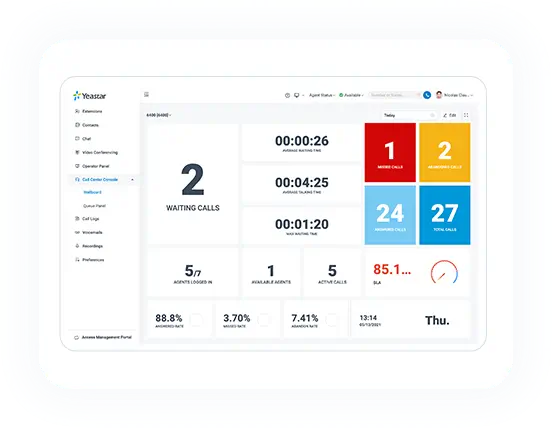
Queue Panel for all call data & agent and supervisor tools in one interface.
Wallboard & real-time performance monitoring.
Queue callback, survey, reporting, and more call center features.
Video Conferencing
Start or schedule meetings with anyone easily in clicks.
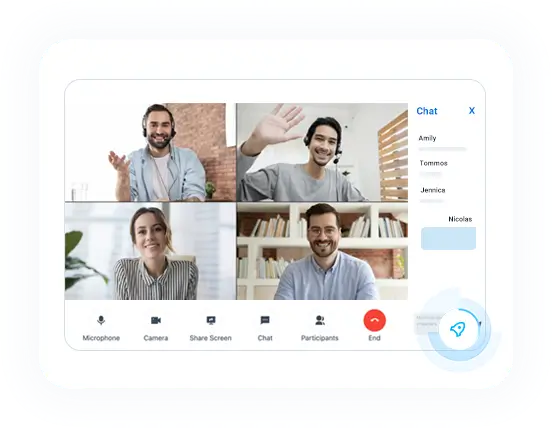
No-hassle, web-based video conferencing.
Screen sharing and in-meeting chat.
Full host controls, waiting room, and passcode protection.
Meeting schedule and bulk email invitation.
No downloads. Encrypted communications.
Omnichannel Messaging
WhatsApp, SMS, and team chats, all in one interface.
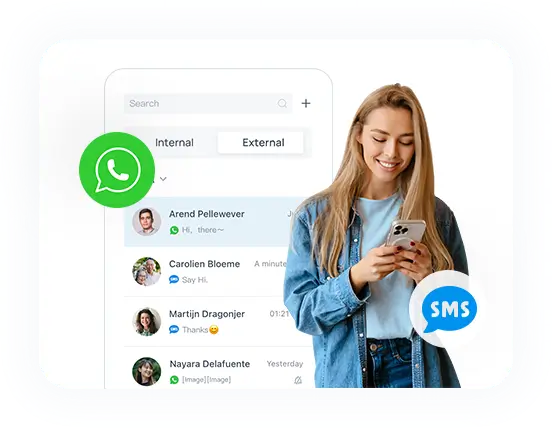
Help your customers across multiple channels, in one single tab.
WhatsApp & SMS messaging.
Chat assignment & transfer.
Match CRM contacts as messages come in.
Keep a central record of customer conversations.
Integrations
Out-of-the-box integrations to streamline your business workflows.
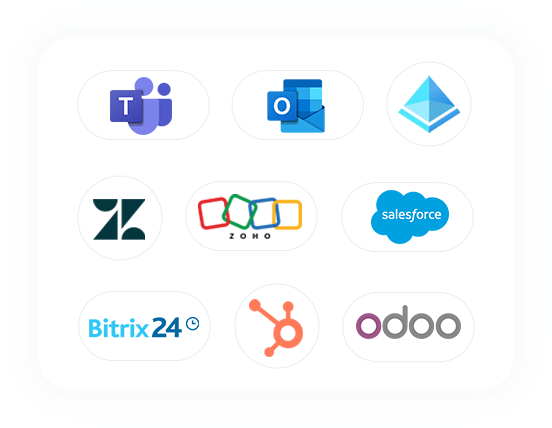
Free embedded calling app in Microsoft Teams
Rich CRM & helpdesk integrations
Microsoft 365 integration
Custom development with Open APIs and SDKs
More out-of-the-box integrations
Russian Resources

Get 30-Day Trial License
Test run the PBX software on your existing on-premise server, private cloud, or public cloud environment.In this 30-day trial, you will get a PBX capacity of 100 extensions, 25 concurrent calls, and full feature access.
By filling out the form, you will also receive an account to access the demo PBX in Yeastar Partner Portal (trial version).
Download PBX
You can download the PBX is0 image here and deploy it on your server.
Before you begin, be sure to check the
server reguirements
.
100 Extensions

Full Feature Access

No Contract to Sign