Yealink SIP-T54S is designed to satisfy the users in need of higher quality IP phone with the improvement of hardware, audio quality, user experience, and collaboration efficiency. There is much to be expected from Yealink, one of the world’s leading SIP phone providers, but how much does T54S lives up to these expectations? In order to find out, we decide to write an in-depth review on Yealink T54S Media IP Phones.
In the easy-to-open T54S packaging, you will find:
As a long-time user of Yealink IP Phones, we find the installation of T54S very straight forward. We believe that it also wouldn’t take long for the first-time installation performed by a technician. After all, the whole setup is just a matter of following the Quick Start Guide.
Supporting up to 16 SIP accounts and a host of ordinary call features, T54S could be an ideal solution for busy executives and professionals to handle routine business. Below are the key features:
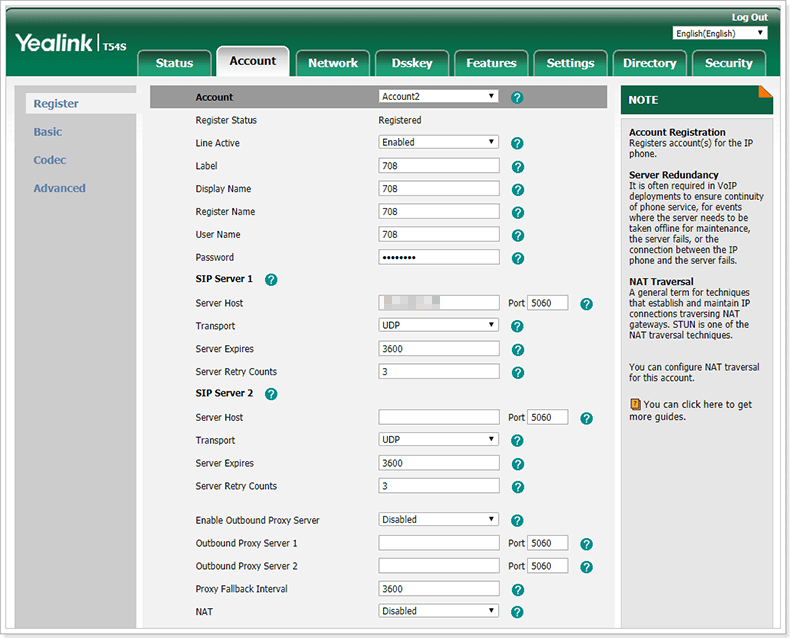
The web portal of T54S is similar to other Yealink phone’s web interface. Users who used to provision other Yealink IP Phones will feel familiar. However, it might take some time for first-time users to acquaint themselves with the web layout and operation.
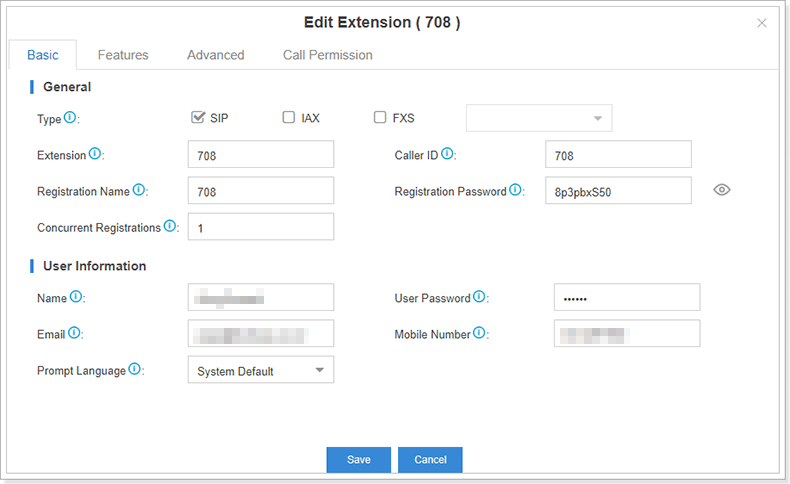
We highly recommend that you use Auto Provisioning feature in Yeastar S-Series VoIP PBX to provision T54S IP Phones so that you can free yourself from tedious labor. Configuring hundreds of, even thousands of, IP phones one by one manually can be onerous and time-consuming even for an adept expert. Under this circumstance, Auto Provisioning is a great time saver and ensures you the best convenience.
Make sure you have updated Auto Provisioning App to version 1.5.23 or higher version, which supports for Yealink T54S IP Phones.
1. Log in Yeastar S-Series Web interface and go to App Center menu to check out.
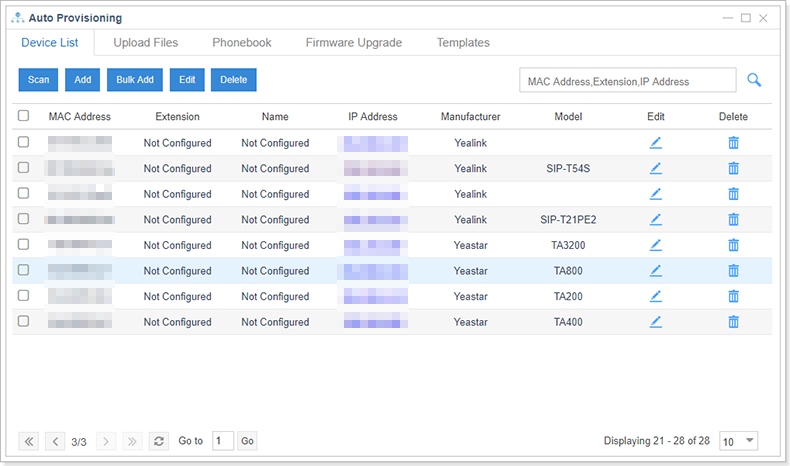
2. Go to “Auto Provisioning” Click “Scan”, then all IP Phones in the local network will show up on the page.
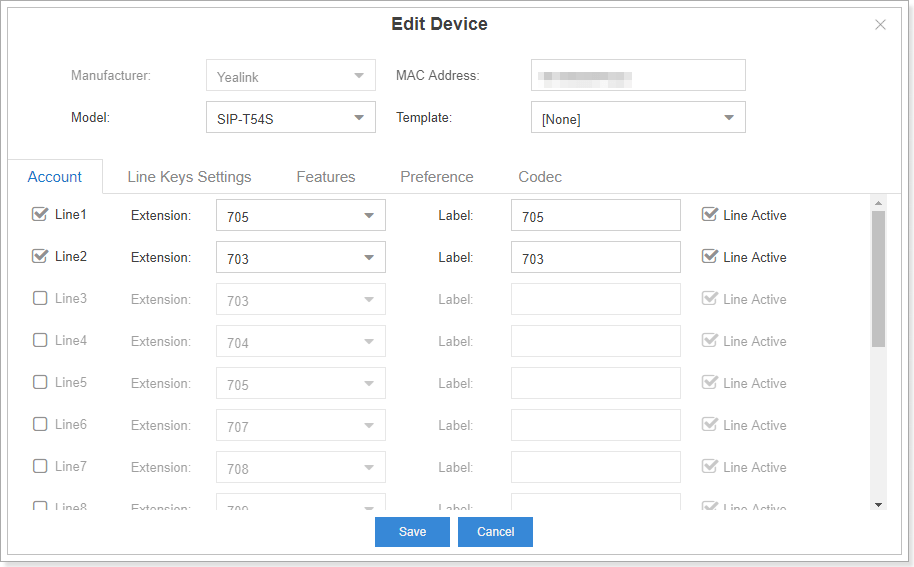
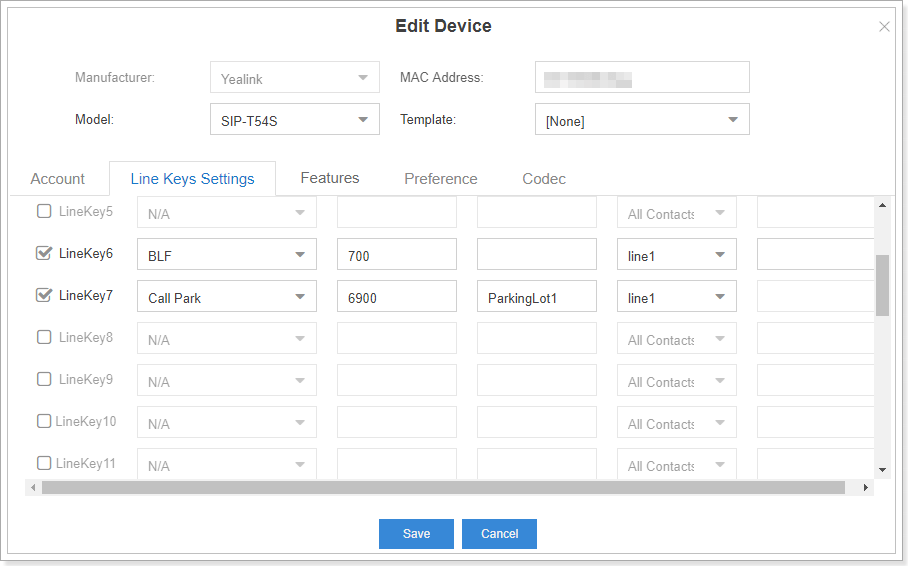
3. Select “SIP-T54S” and click “edit”. Basically, you just need to configure the accounts, DSS keys or preference.
4. Click the “Save”button then a pop-up window would prompt you to reboot the phone immediately. Just click “Yes”.
5. The Yealink T54S would reboot and perform the provisioning process automatically in no time.
After registering T54S IP Phone to S-Series PBX, we encountered no problem in making calls during several rounds of call tests and the call quality is excellent. No background noise. No disruptions. T54S IP Phone delivers rich and full audio quality when using handset, headset, and speakerphone. We believe Optima HD Voice and Optus codec support in T54S do ensure a pretty consistent user experience.
Prior to this review, our test team conducted several rounds of interoperability test according to an extensive test plan to make sure the test result is rock solid. The test objects range from call quality to all call features, from basic call processing to advanced call settings. After this comprehensive test, it turns out that Yeastar S-Series VoIP PBX is fully compatible with Yealink T54S IP Phone.
As a part of the new T5 series phones released by Yealink in 2017, T54S IP Phones is specially designed for high-end office users. In comparison to T2 and T4 series, T54S outperforms in improved hardware configuration and ultra-elegant design, and is also packed with a wide variety of call features. Better yet, it also works perfectly with Yeastar S-Series VoIP PBX. If you are a business with adequate budget, in demand of multiple lines, yet not that enthusiastic about the touchscreen of T58 and T56, T54S IP Phones could be a great fit for you. Of course, there is no absolutely perfect product. For us, the main complaint about T54S is that it fails to live up to the claim of ergonomics design. Overall, the Yealink T54S is an excellent IP phone with a sleek appearance, advanced business-grade features and decent user experience.
Another major update for P-Series PBX System is here! Check out what’s new and what’s…
Microsoft Teams has seen tremendous growth for the past few years, developing an enormous customer…
Thrilled to ship you the latest update of Yeastar Workplace! We have several exciting new…
An effective office visitor management system can help you stay organized while streamlining experiences and…
Stop Worrying about Who's Coming in Businesses, schools, hospitals, and other organizations usually need to…
As businesses continue to adapt to the changing work environment, desk booking software has become…